 TalkContextGitHub →
Visual UI feedback for AI coding agents · open source · MCP for Claude Code
QA feedback your coding agent can actually read
Click through a web app, say out loud what bugs you – and Claude Code gets structured findings instead of a video: the element, its component, the errors and your words.
How it works
- 1
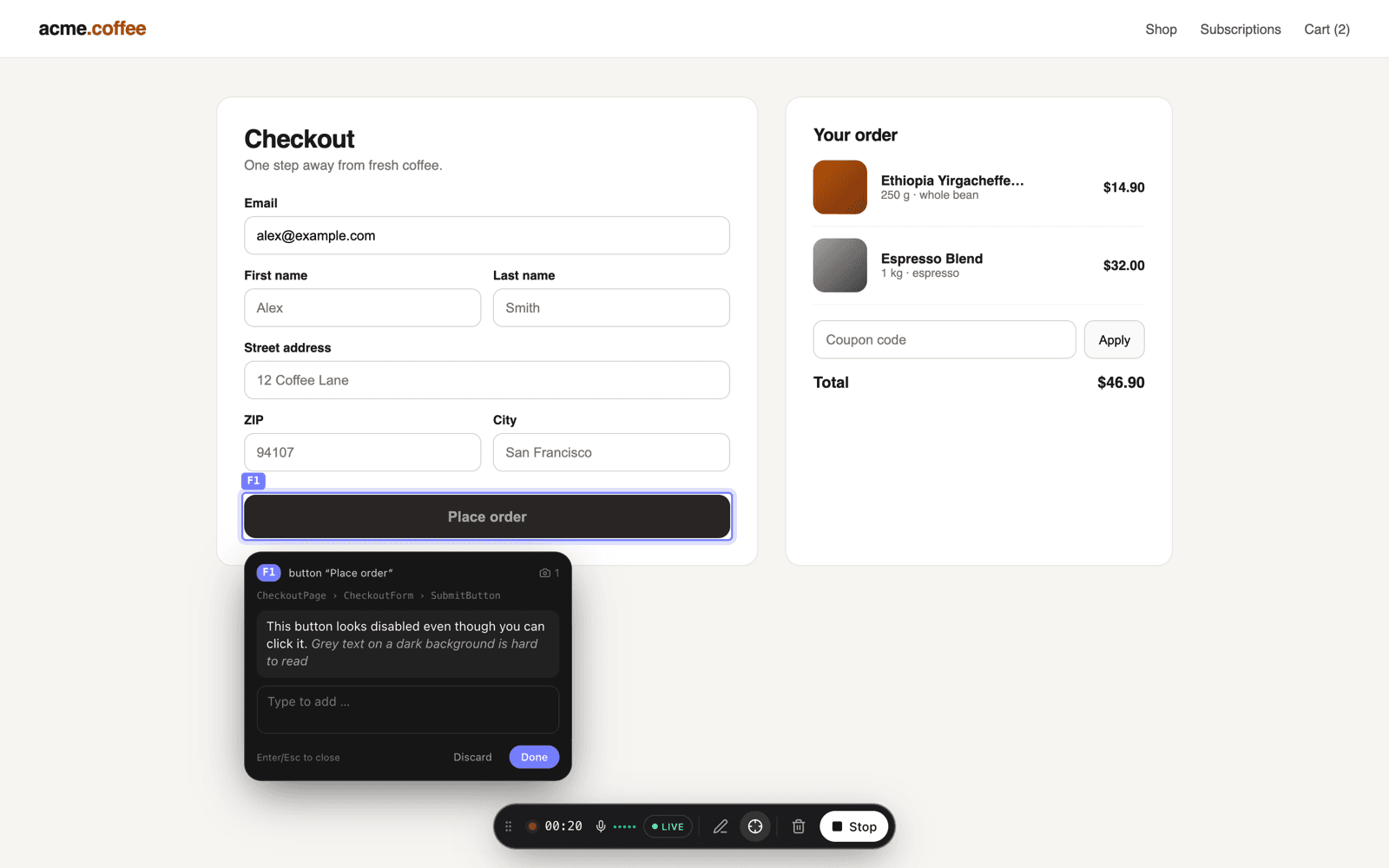
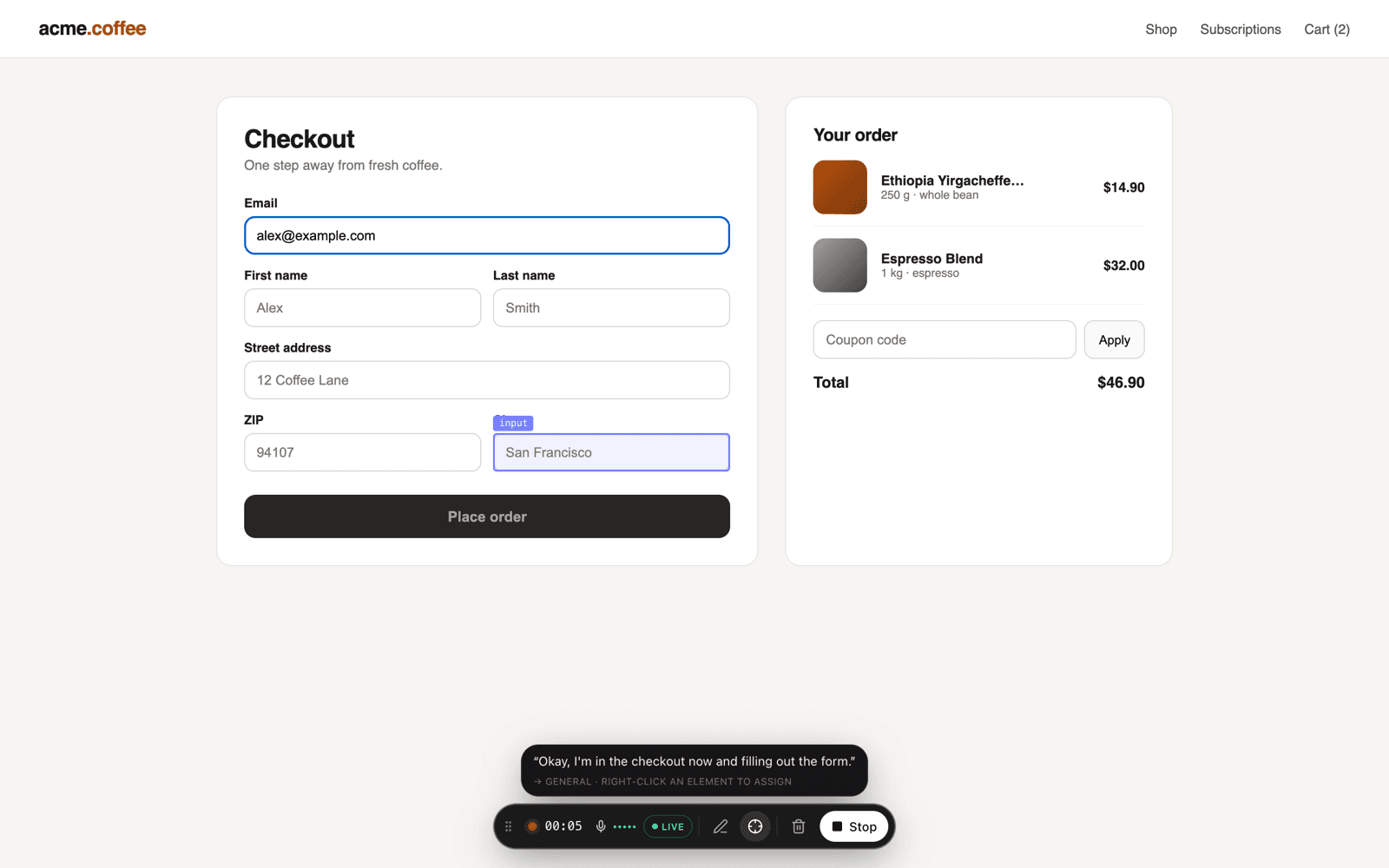
Click through and talk
Use the app like you normally would and say what's good or bad. TalkContext transcribes you live and records every hover, click, input, console error and failed request on the same timeline.
- 2
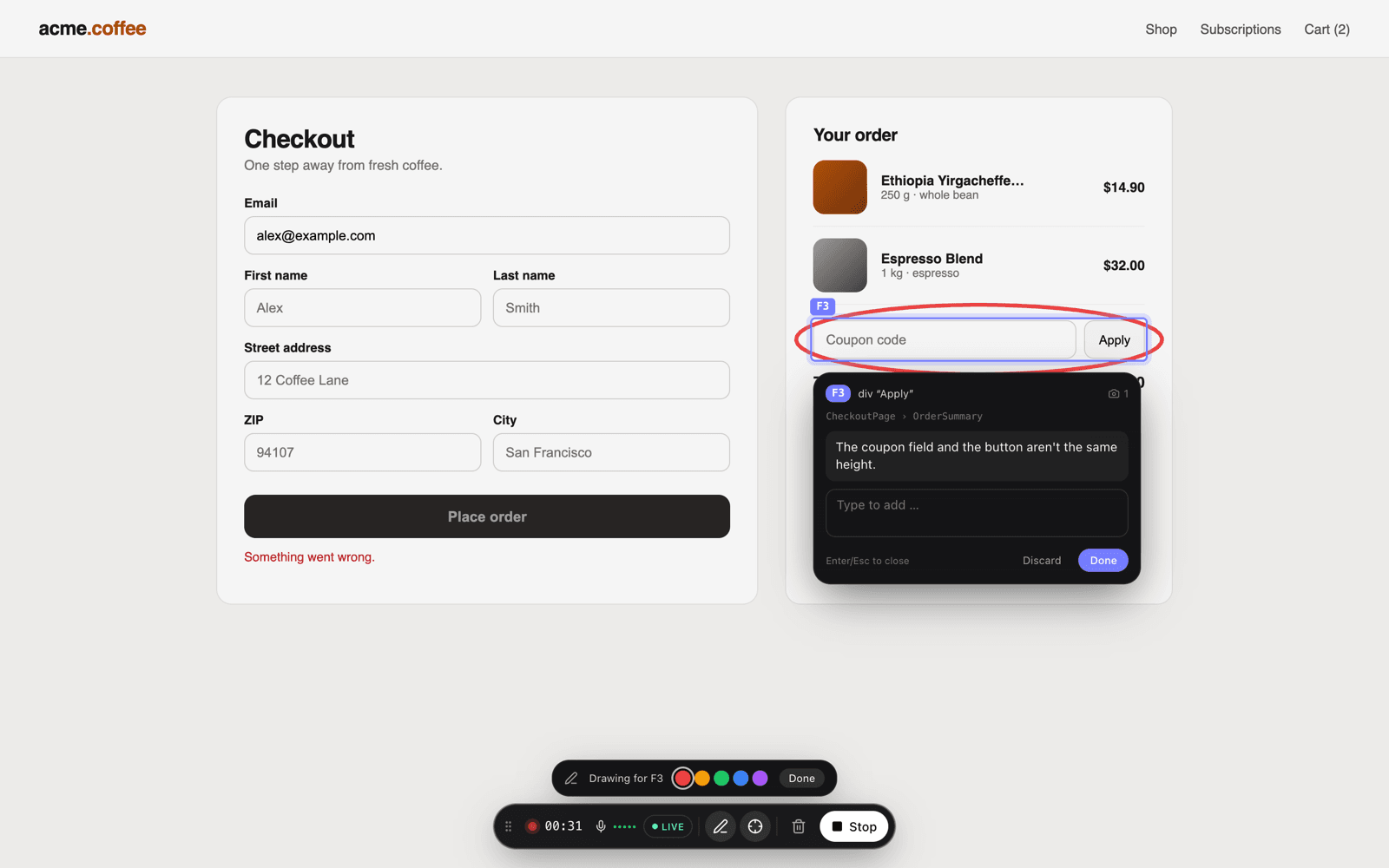
Right-click what's wrong
The element gets highlighted and a bubble opens – everything you say streams into it. Each feedback point keeps the selector, the React/Vue component chain, computed styles, a DOM snippet and a screenshot.
- 3
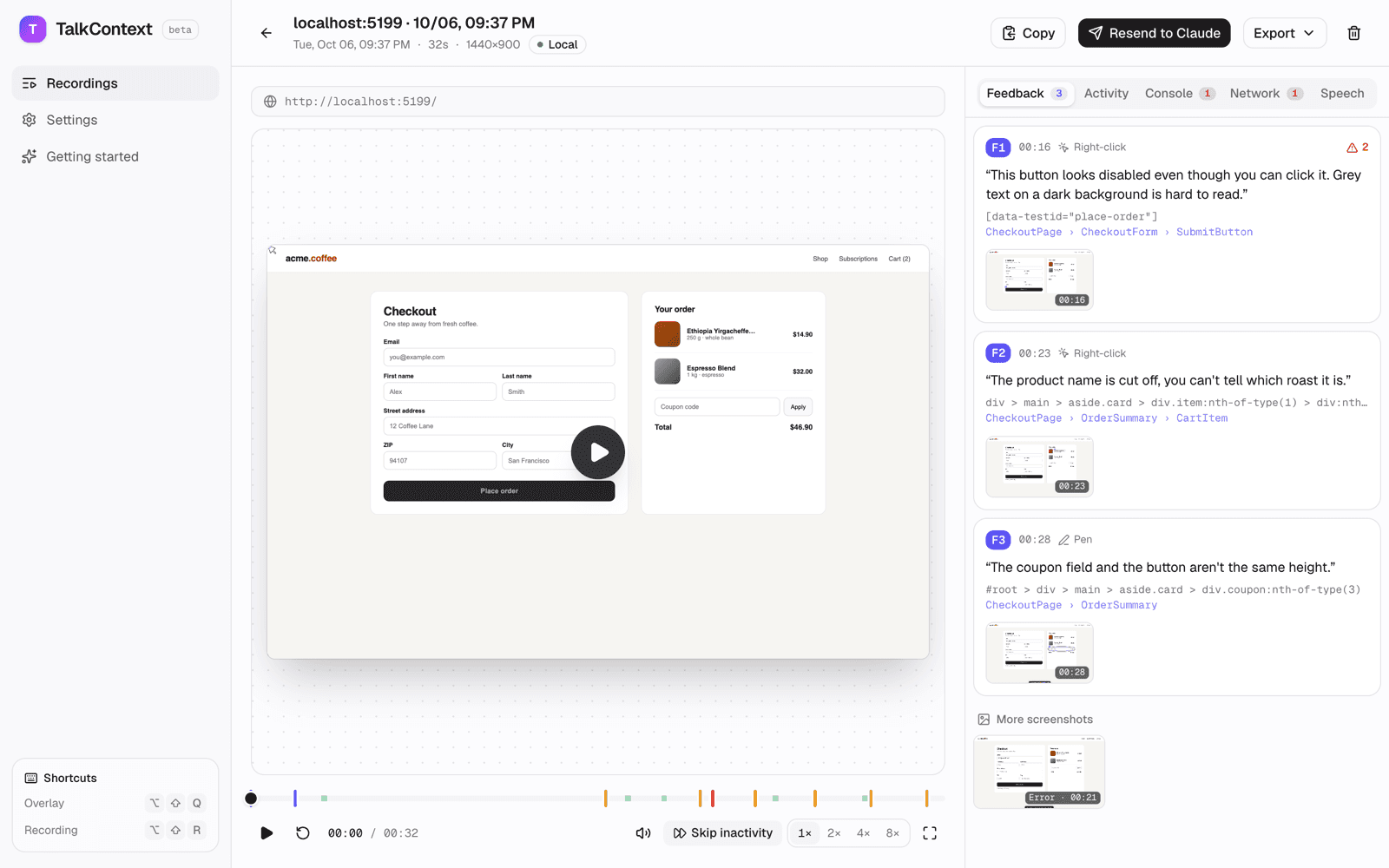
Claude fetches the feedback
When you stop, the recording goes to a local MCP server. In Claude Code you just say “Fix the latest TalkContext feedback” – screenshots included, as images.
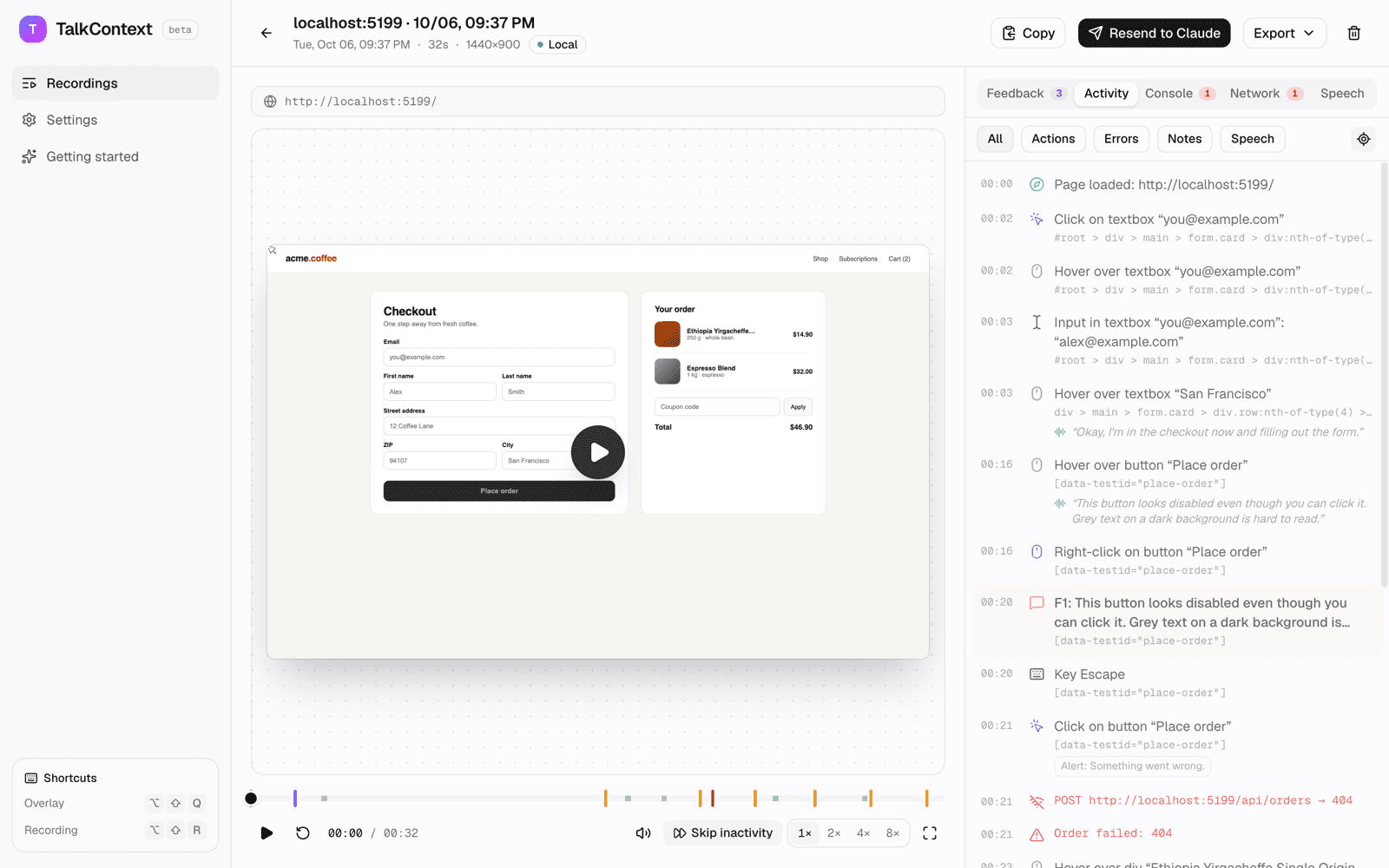
What Claude receives
No screenshots to interpret, no guessing which button you meant. The TalkContext MCP server hands Claude Code each feedback point as text – your comment, a stable selector, the component chain, the steps before and the errors in that time window – plus the screenshots as images.
## F1 · [00:16.5] button "Place order" – /

> "This button looks disabled even though you can click it.
>  Grey text on a dark background is hard to read."

- Element: [data-testid="place-order"] · role button
- Component (react): CheckoutPage › CheckoutForm › SubmitButton
- Captured via: right-click

Errors in this window
- [00:21.4] POST /api/orders → 404 · 12 ms
- [00:21.4] console.error: Order failed: 404

Computed styles
  color: rgb(168, 162, 158);
  background-color: rgb(41, 37, 36);
- No script in your app
- A Chrome extension that sits on top of any page – localhost, staging or production.
- Session replay
- Full rrweb replay with a timeline of clicks, errors, notes and speech.
- Component-aware
- Reads the React fiber or Vue instance, including source files in dev builds.
- Local first
- Recordings stay in your browser. Audio only leaves your machine if you add an OpenAI key.
- Whisper or realtime
- Live transcript via OpenAI Realtime, or local Whisper in the browser after recording.
- English or German
- Pick the language you speak – both work for live and post-recording transcription.
FAQ
- How do I give Claude Code feedback on my UI?
- Install the TalkContext extension, start a recording on your app and right-click the element you mean while you talk. When you stop, the local MCP server hands Claude Code each feedback point with selector, component, styles, screenshot and errors. Then just ask Claude to fix the latest feedback.
- Does it work with Cursor, Codex or other agents?
- The handoff is a standard MCP server (stdio), so any MCP-capable agent can read it. It's built and tested with Claude Code.
- Do I need to add a script or SDK to my app?
- No. TalkContext is a browser extension and works on any page – localhost, staging or production.
- Does my data leave my machine?
- Recordings stay in your browser and go to an MCP server on 127.0.0.1. Audio is only sent to OpenAI if you add your own API key; otherwise Whisper transcribes locally in the browser.
- Which frameworks are supported?
- Any web app. For React and Vue dev builds TalkContext also captures the component chain, including source files when available.
- Is it free?
- Yes. TalkContext is open source under the MIT license.
Try it in five minutes
TalkContext isn't in the Chrome Web Store yet. Build it, load it unpacked in developer mode and connect Claude Code with one command.
git clone https://github.com/jannesrudnick/talkcontext.git && cd talkcontext
pnpm install && pnpm --filter talkcontext-extension build
claude mcp add talkcontext -- node "$(pwd)/mcp/dist/index.js"
Full setup guide